Track Stash Splash
Download Track Stash on the App Store

For the sounds you do not want to lose.

Every producer knows the feeling: the synth is sitting just right, the pedal is doing something strange in the best way, the drum machine pattern finally locks, and stopping to document it might kill the momentum. Track Stash gives you a fast place to save the sound and a structured place to rebuild it later.

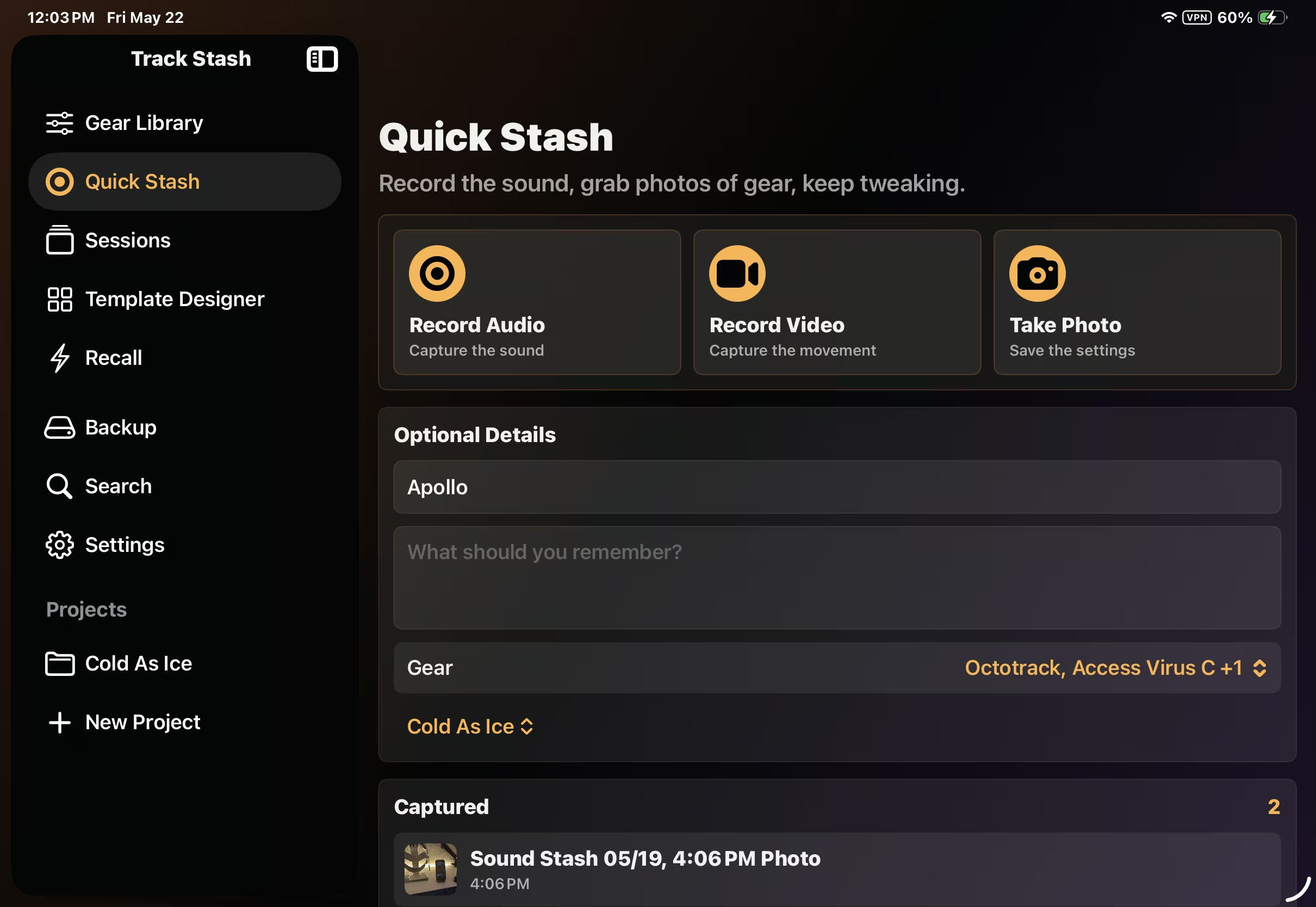
Quick Stash

Quick Stash

Record the sound, grab photos of gear, add notes, and keep tweaking without stopping the creative flow.
Your Studio, Organized

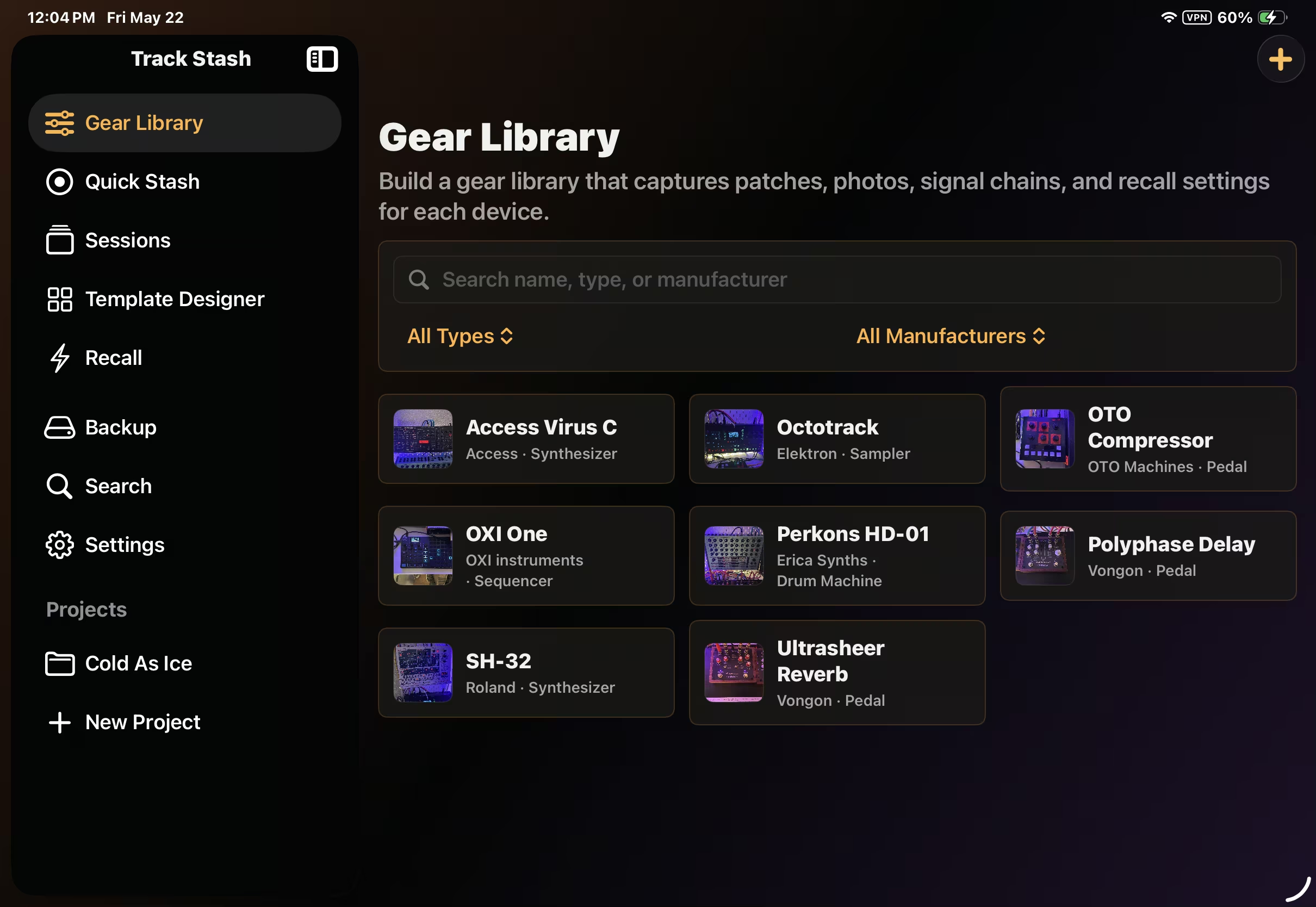
Your Studio, Organized

Build a reusable library of synths, drum machines, pedals, processors, and studio gear so every session starts from the gear you actually use.
Capture Complete Sessions

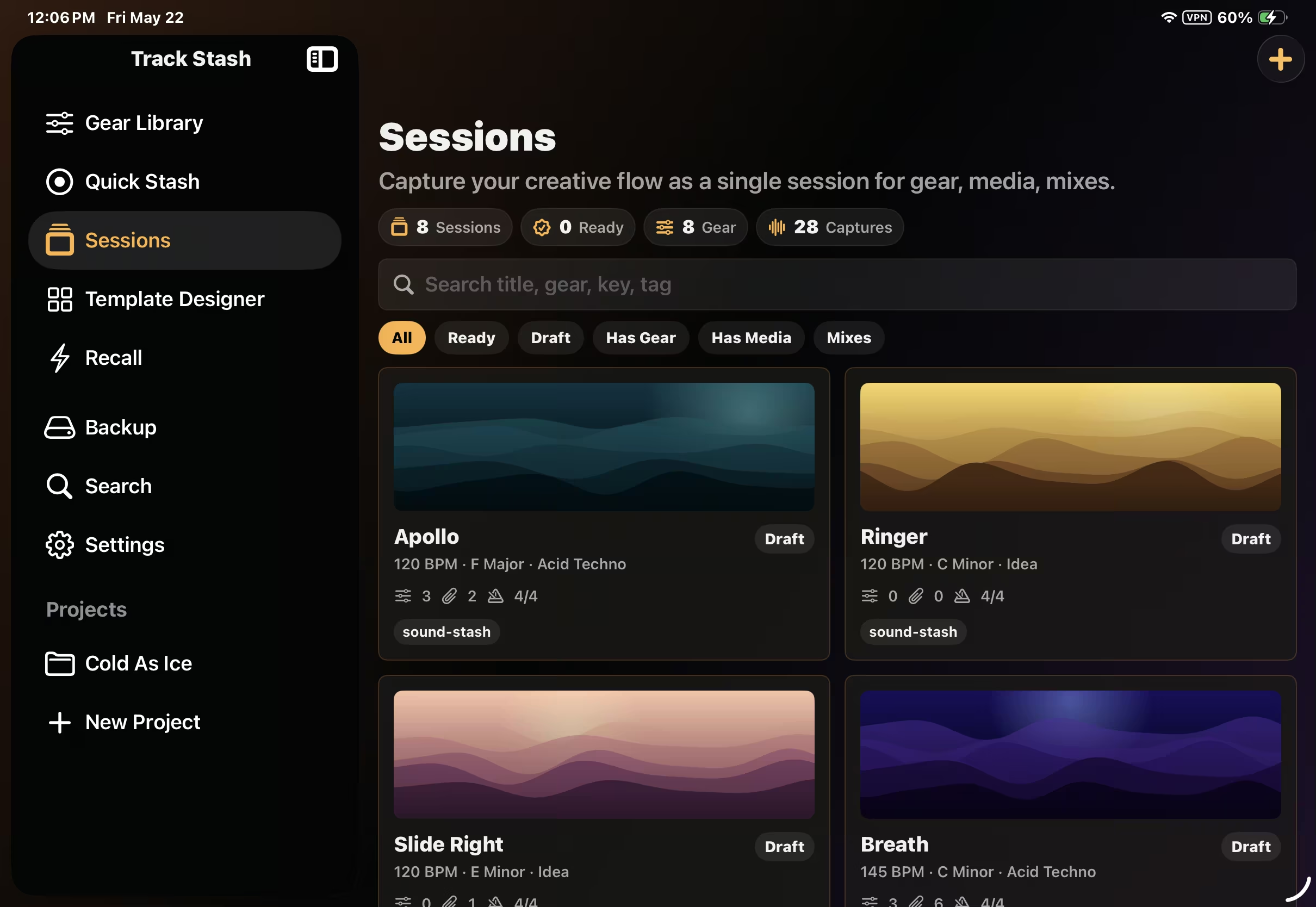
Capture Complete Sessions

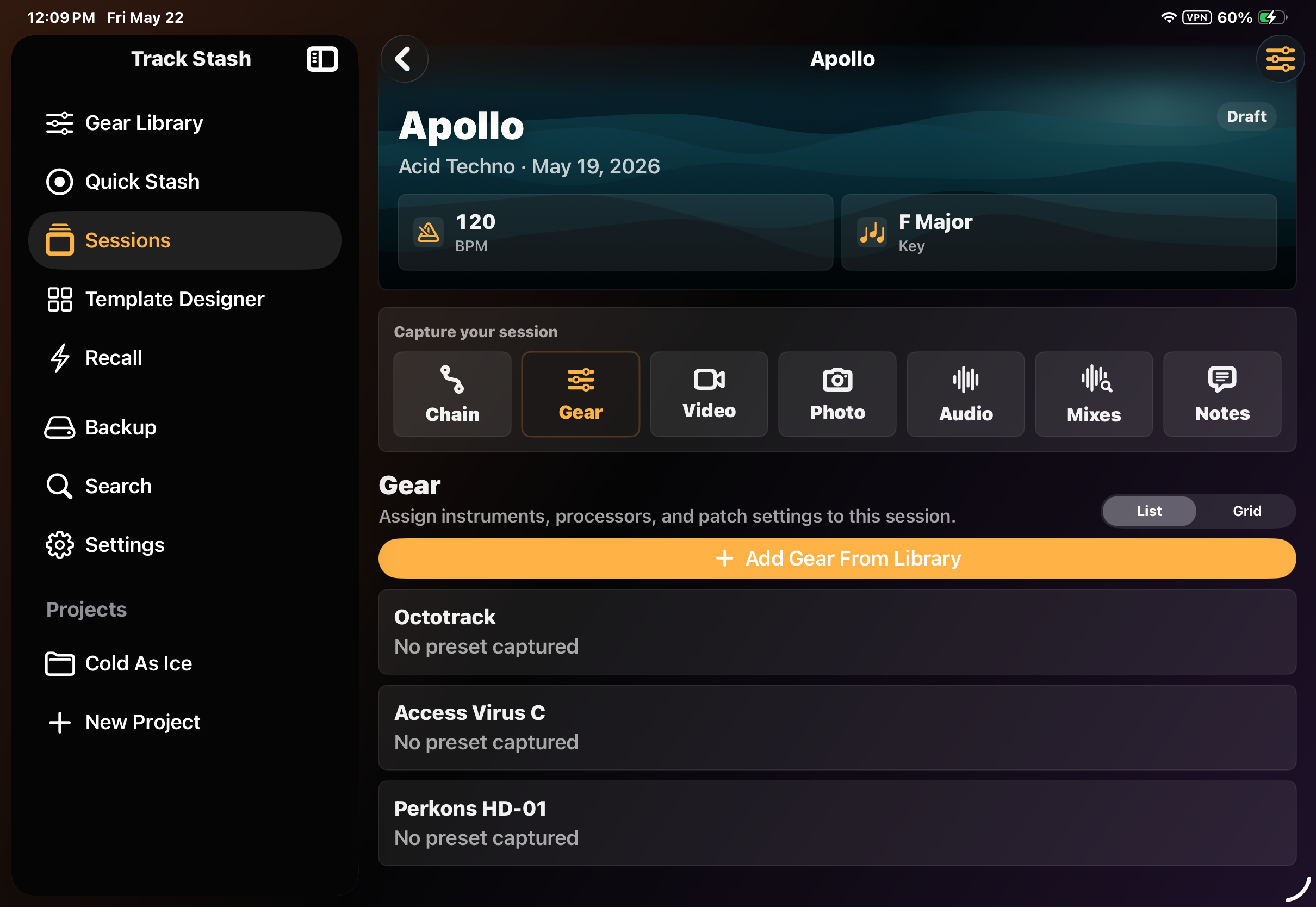
Save BPM, key, style, project, gear, audio, photos, mixes, notes, and patch details in one searchable session.
Patch Settings That Make Sense

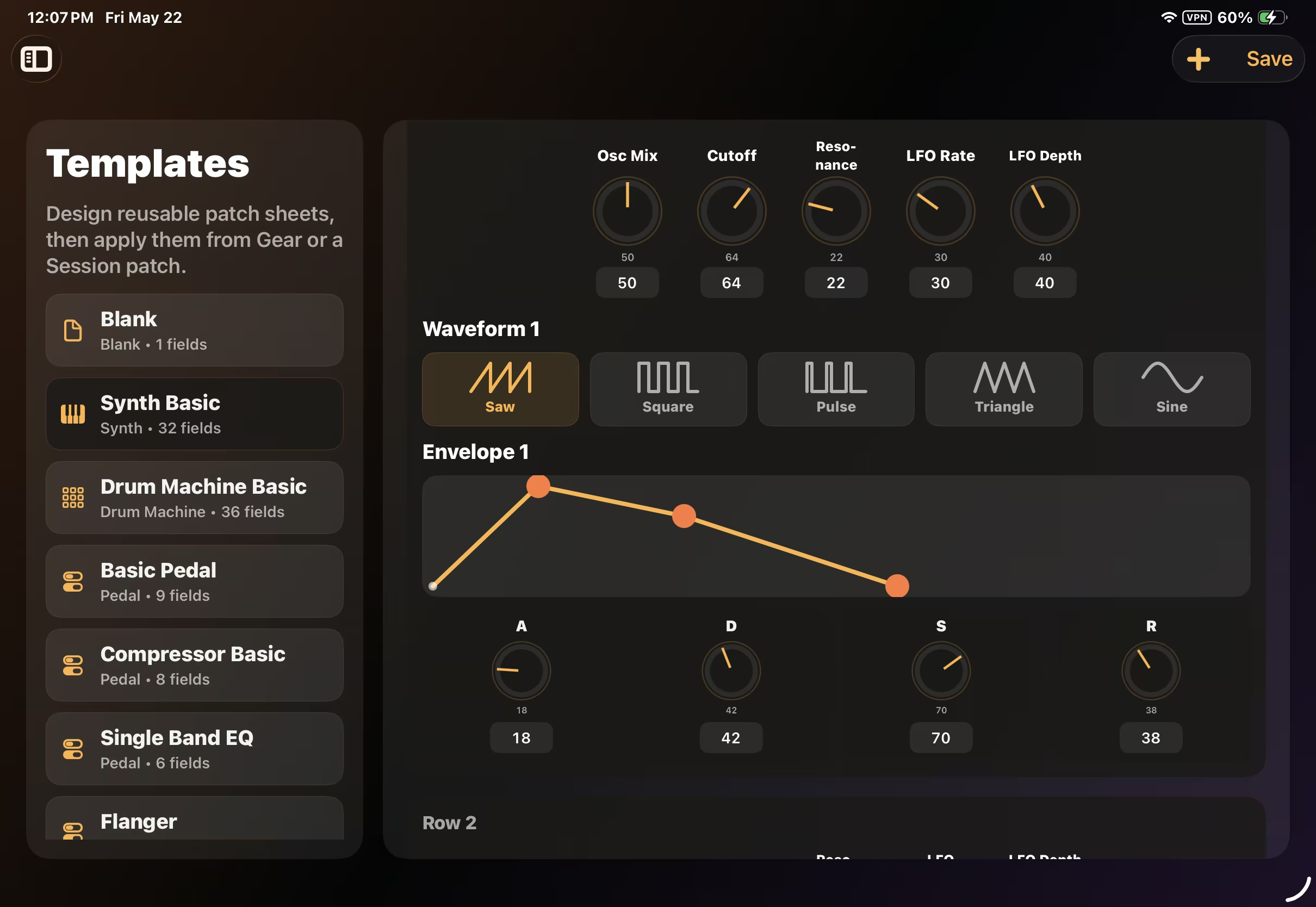
Patch Settings That Make Sense

Use reusable templates for synths, drum machines, pedals, and processors so important settings do not get buried in random notes.
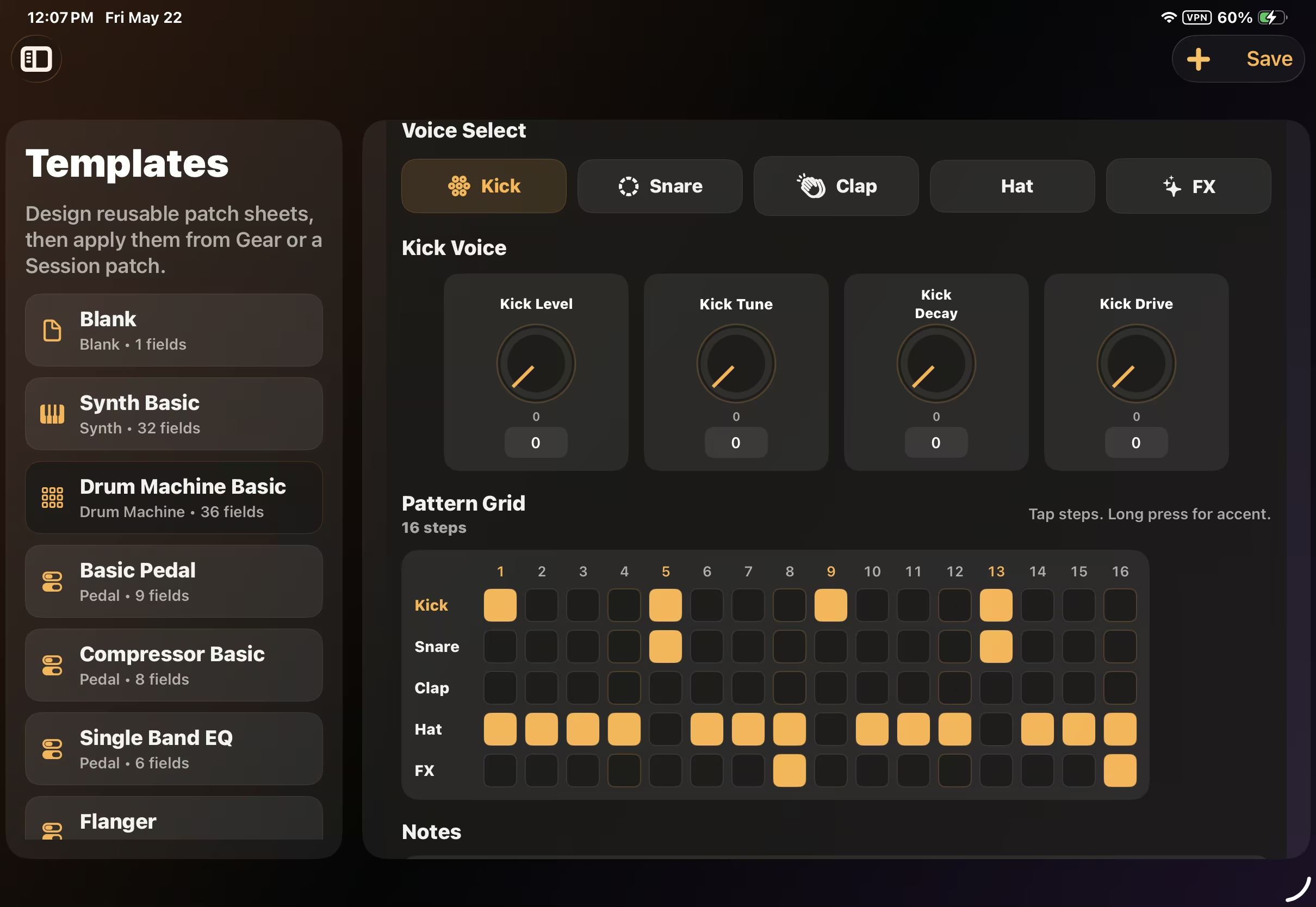
Patterns, Kits, and Performance Details

Patterns, Kits, and Performance Details

Document drum machine patterns, voice settings, clock source, sync mode, and notes so a beat can be rebuilt later.
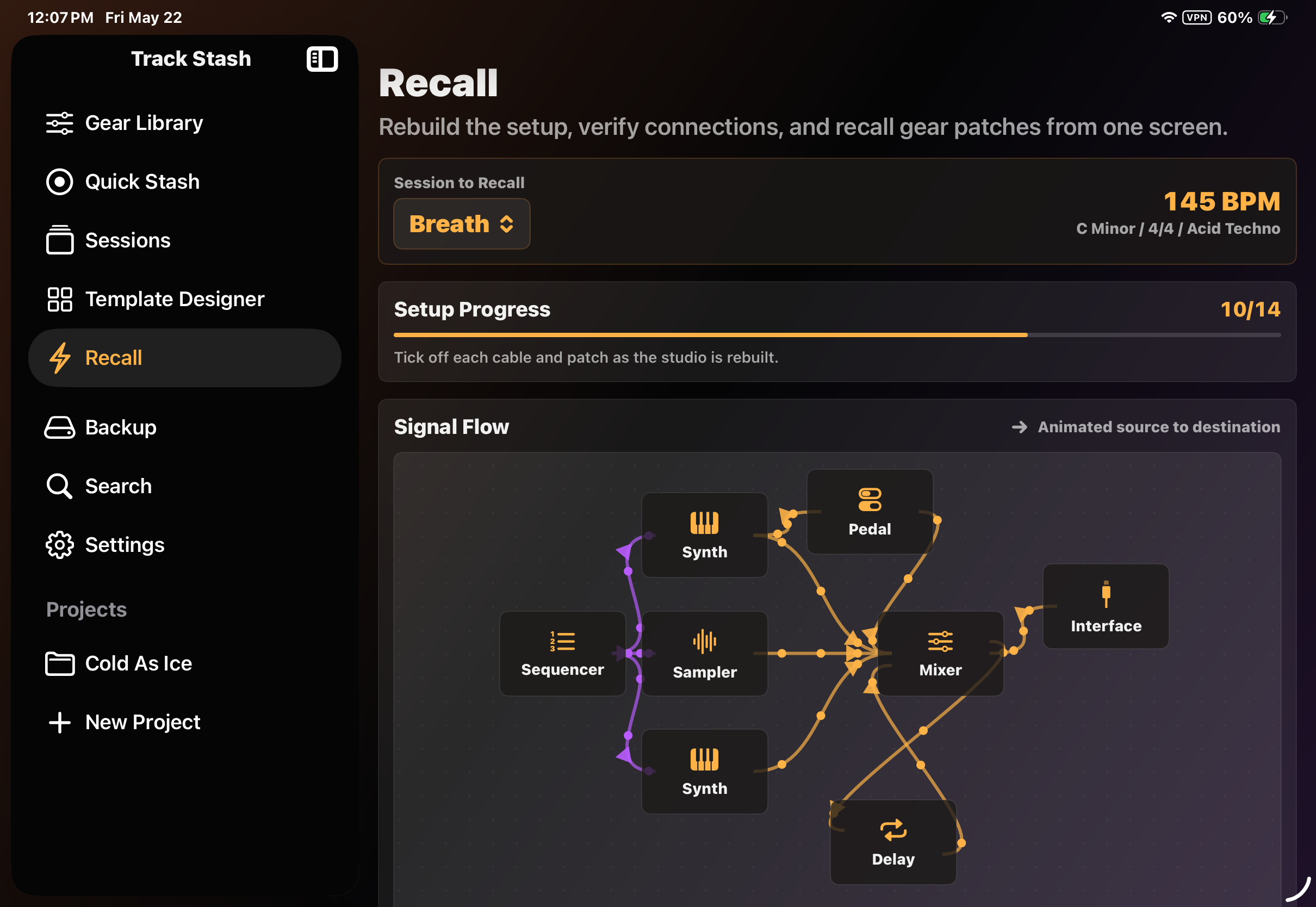
Recall the Setup

Recall the Setup

Rebuild the signal flow, verify connections, review gear photos, and check patch settings from the session in one focused recall view.
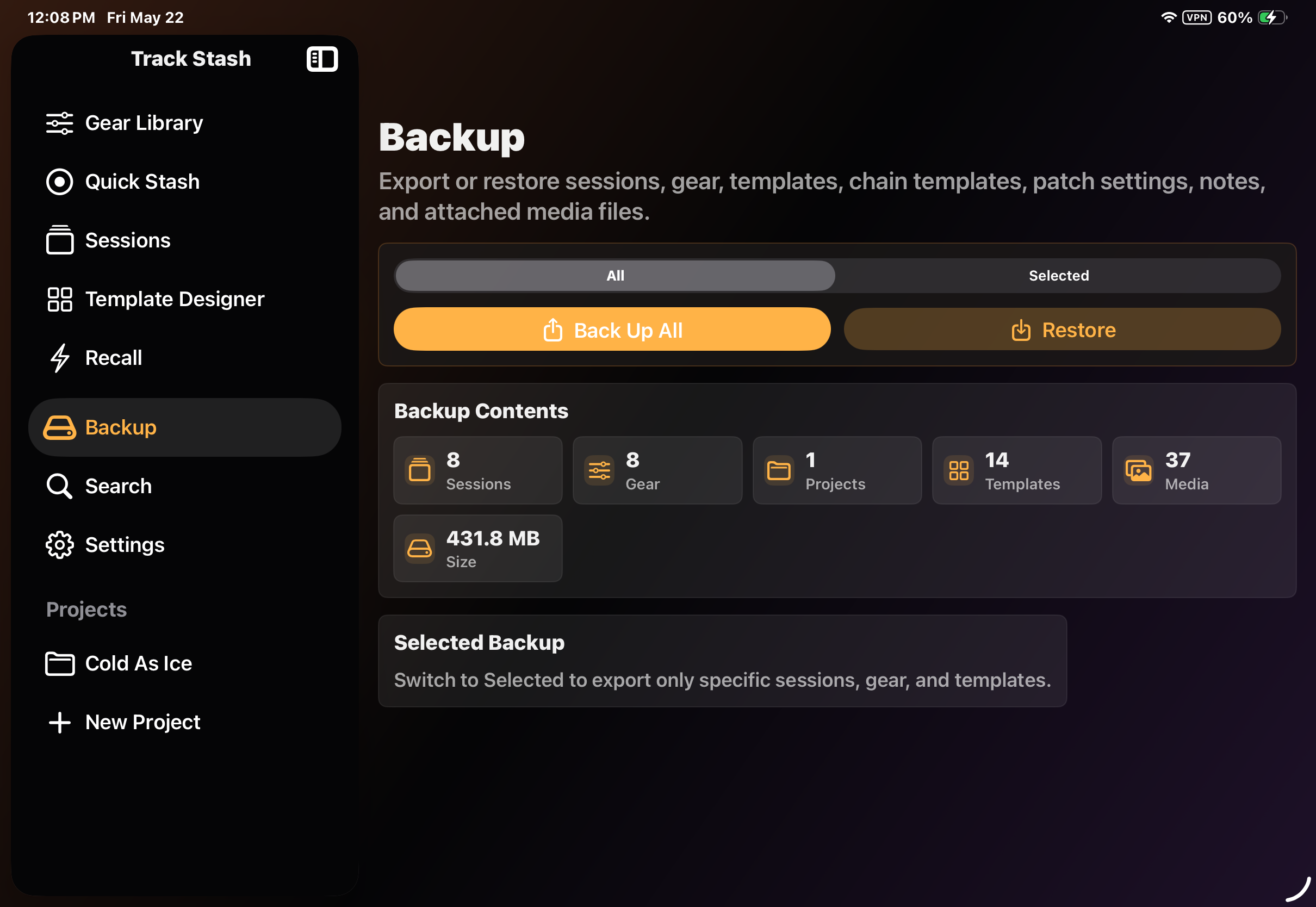
Keep the Work Portable

Keep the Work Portable

Back up and restore sessions, gear, templates, chains, patch settings, notes, and attached media.
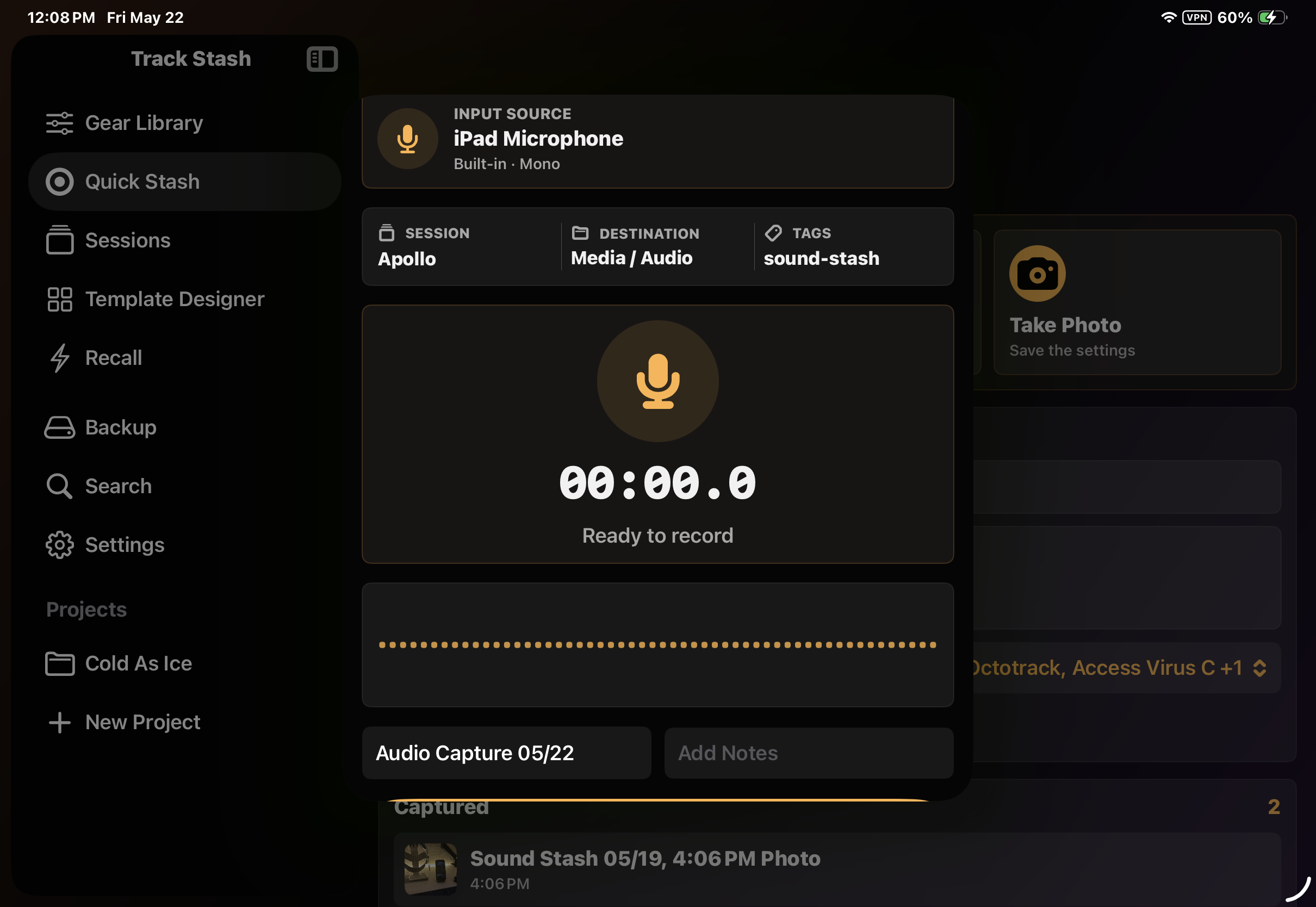
Record Without Breaking Flow

Record Without Breaking Flow

Capture audio ideas directly into Quick Stash or a full session, then review and organize them when the idea is safe.
Everything Around the Sound

Everything Around the Sound

Track Stash connects the musical idea to the gear, settings, media, and notes that explain how it happened.

Built for Music Makers Who Need to Remember the Setup

Track Stash is designed for the moment when a sound is working and you do not want to stop. Capture the idea quickly, then build out the details when you are ready.

Quick Capture

  • Quick Stash for fast audio and photo capture
  • Record audio ideas before they disappear
  • Take gear photos while tweaking
  • Add quick notes, names, projects, and gear
  • Convert a Quick Stash into a full session

Gear and Templates

  • Build a reusable Gear Library
  • Create patch templates for synths, drum machines, pedals, processors, and more
  • Save knob values, pattern data, clock settings, routing notes, and custom fields
  • Attach photos to gear for visual reference

Session Documentation

  • Create sessions with BPM, key, style, status, and project
  • Add audio, video, photos, mixes, and notes
  • Attach gear from the Gear Library
  • Save patch names, roles, and detailed gear settings
  • Organize sessions by project and search later

Recall

  • Rebuild a session from one screen
  • Review signal flow and connections
  • Check off setup progress
  • View gear photos and template settings
  • Pan and zoom around larger signal chains

How to Use Track Stash

  1. Start with Quick Stash when you need to capture an idea fast. Record the sound, take gear photos, and add a few notes.
  2. When the idea is worth keeping, create a full session from the Quick Stash or start a new session from the Sessions tab.
  3. Add the gear used in the session from your Gear Library. Save the patch name, role, template settings, and photos for each piece of gear.
  4. Build the signal chain so you know how everything was connected.
  5. Add audio, video, photos, mixes, and notes as the track develops.
  6. Use Recall when you want to rebuild the setup later. Review the signal flow, check off connections, and open gear patch details to restore the sound.

Capture the sound. Rebuild the setup.

Track Stash keeps the creative moment connected to the gear, settings, and media that made it possible.

Download Track Stash on the App Store