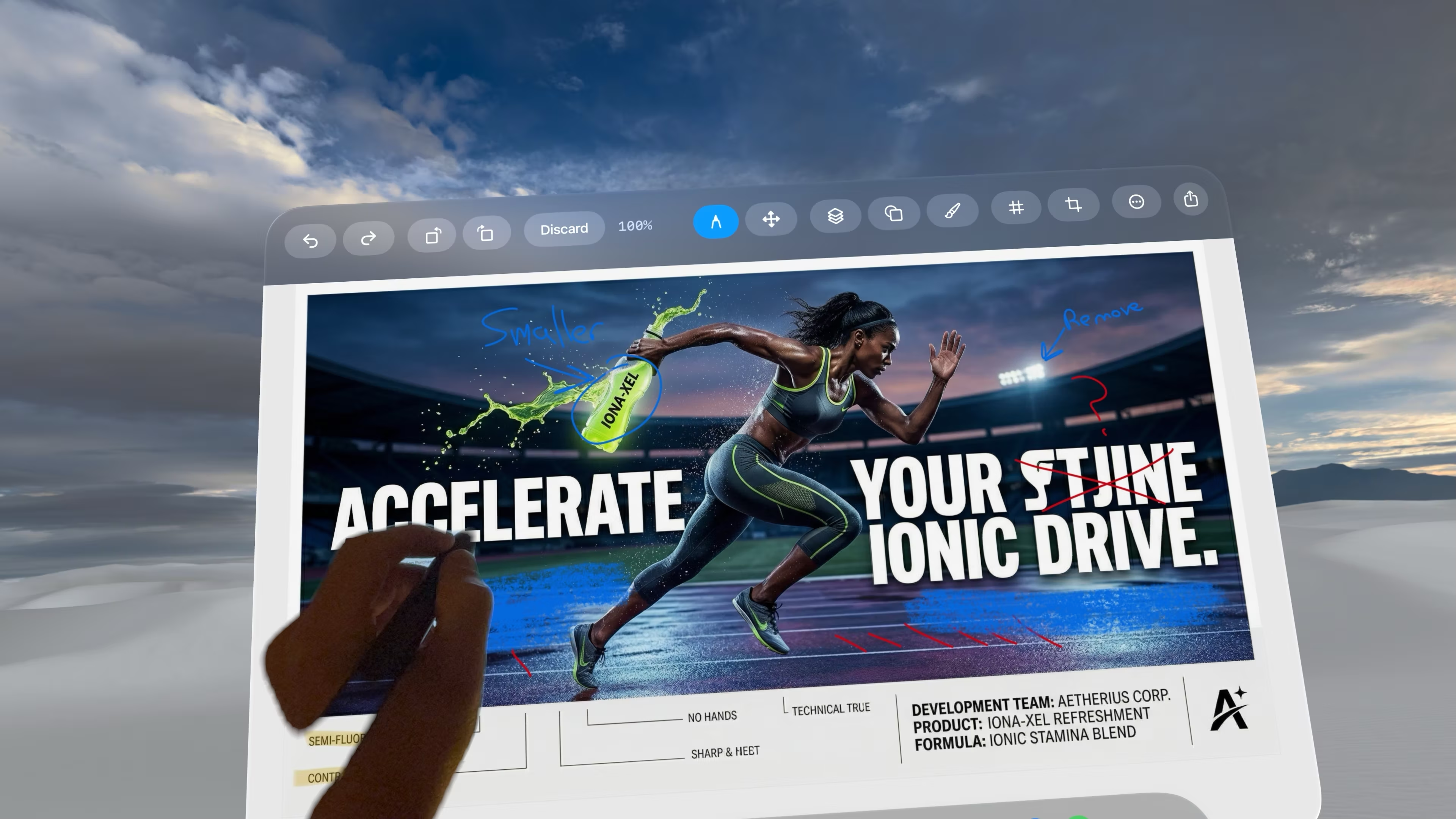
Precision Drawing
Full PencilKit integration for precise markups using the Logitech Muse stylus or Apple Pencil.
From the studio
Vision Markup allows for fast, fun, and easy markups using your hands or the Logitech Muse pen directly inside the Vision Pro headset, all seamlessly shared with your entire team.
 Designed for Apple Vision Pro

Full PencilKit integration for precise markups using the Logitech Muse stylus or Apple Pencil.
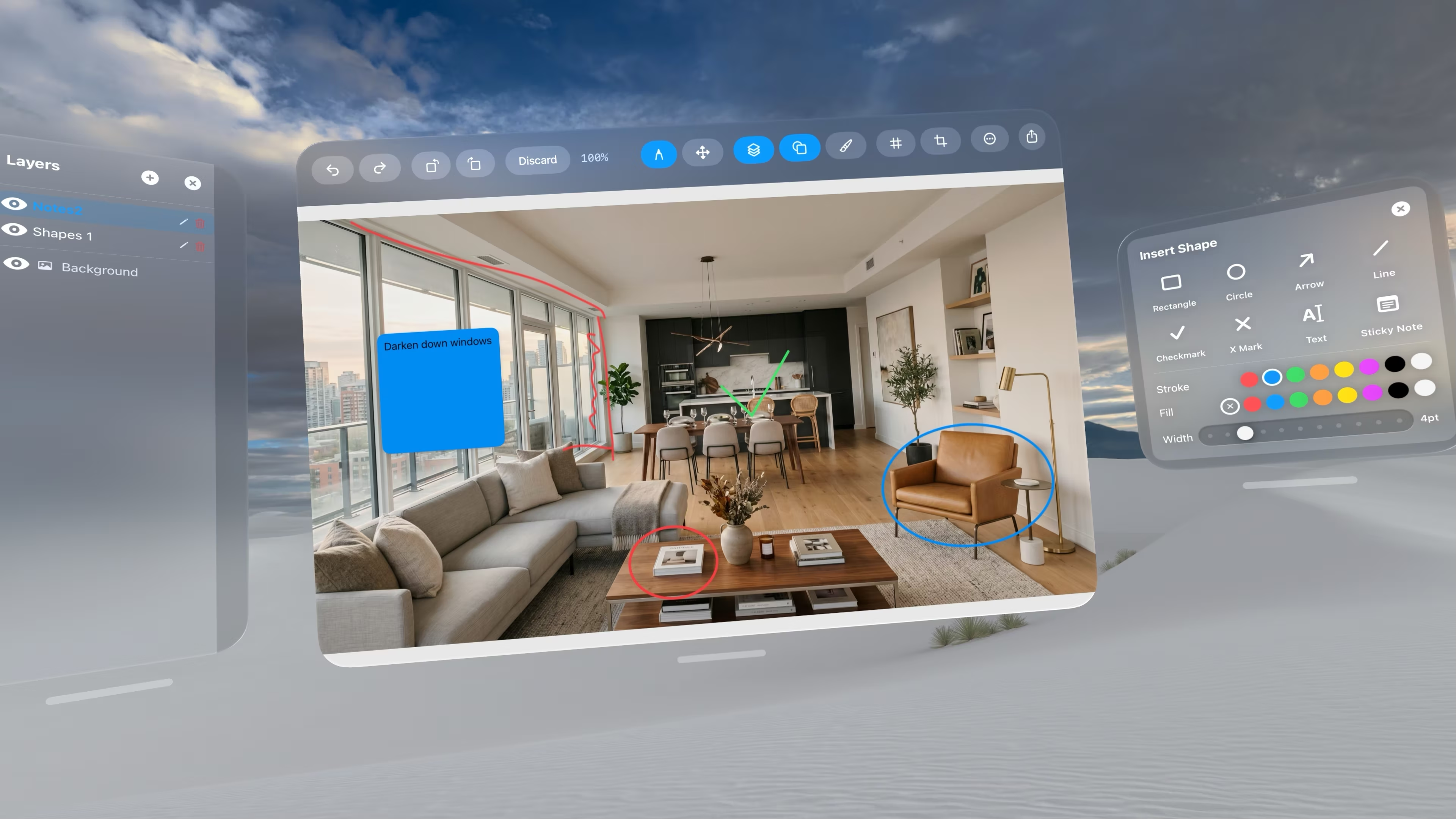
Add contextual spatial notes directly to your captures for crystal-clear communication.

Separate your annotations with robust layer management. Hide, show, and organize your markups without altering the original image.
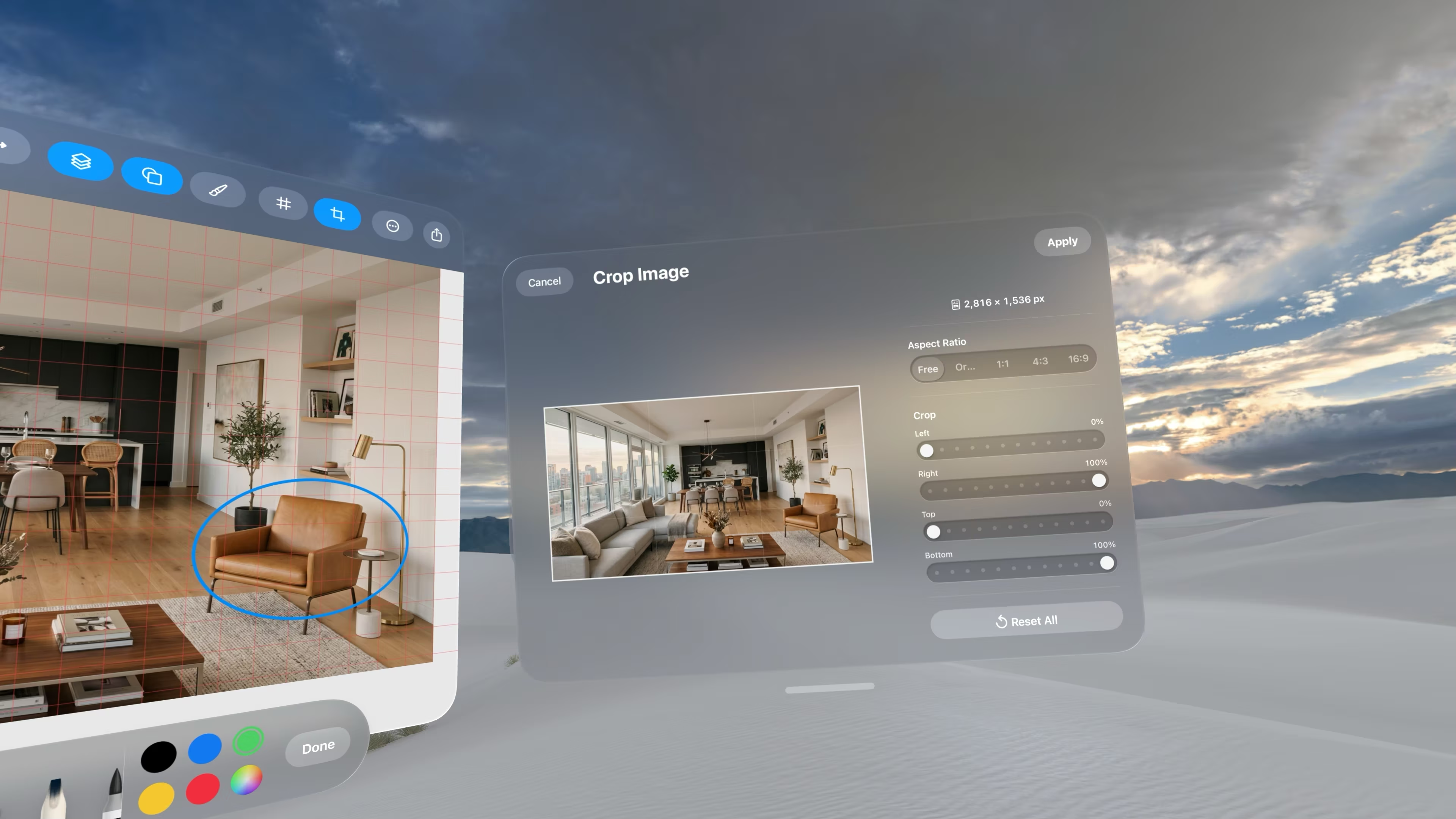
Focus on what matters by cropping your spatial captures instantly.
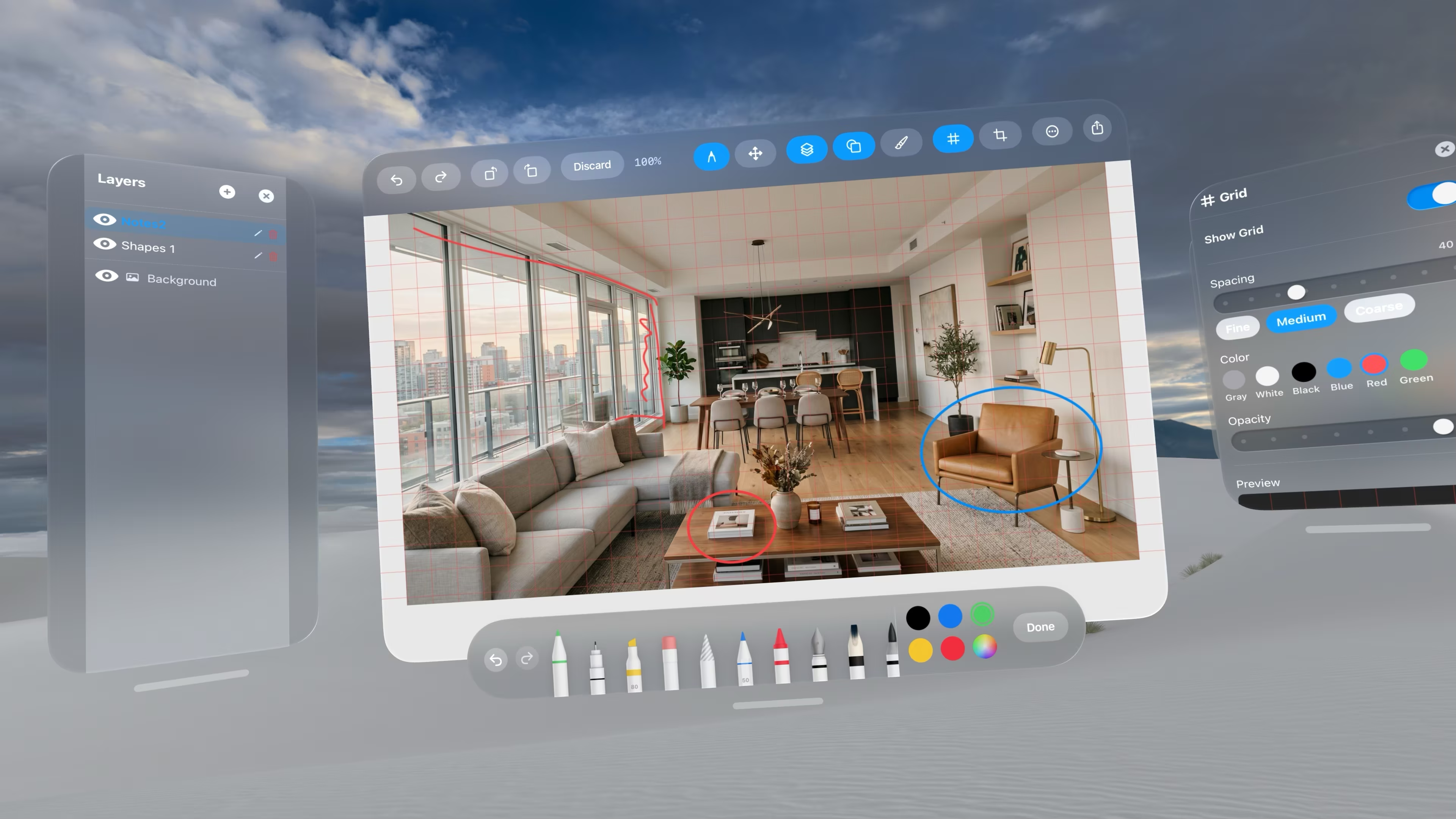
Perfect your designs with precision grid overlays and snapping capabilities.
Vision Markup leverages Apple's Human Interface Guidelines to deliver a native, intuitive experience. Whether you're marking up designs, annotating screenshots, or adding notes to images, Vision Markup provides the tools you need in a spatial environment.
Import your image, choose your tool, and start creating.